Where are the LEDs on the Vector Device?
Powering ON and OFF
- The S8 can be powered on and off using the button on the side, using the Ignition Mode feature, or by inserting the tag into a powered on Dock
- When the device is powering on or off, the LEDs will glow white from North to South
- When the S8 wearable device is powering on, both LEDs will do a single ‘breath’ on
- When the S8 wearable device is powering off, both LEDs will do a single ‘breath’ off
What does each LED indicator on my Vector Device mean?
The LEDs are colour coded and represent different statuses depending on the Vector Devices being in a recording mode or inserted into the Vector Dock.
Device in Recording Mode - Status Pages
When in Recording Mode, a single button press will transition the device through a number of status pages - Connectivity -> Battery -> Peripherals.
The status LEDs will return to the default (Connectivity) after 2 minutes or with an additional single button press.
Page 1 - Connectivity |
- North LED Flashing Green = Device is searching for GNSS to join
- North LED Solid Green = Indicates a GNSS lock
- South LED Flashing Yellow = Device is searching for UWB to join
- South LED Solid Yellow = Indicates an active connection has been established with UWB
- South LED Solid Blue = Bluetooth is connected
|
Page 2 - Battery |
- Both LEDs Flashing Red = Battery Critically Low, <10% battery remaining (approx. 30 minutes of battery life remaining)
- Both LEDs Solid Red = 10-30% battery remaining
- Both LEDs Solid Yellow = 30-80% battery remaining
- Both LEDs Solid Green = >80% battery remaining
|
Page 3 - Peripherals |
If your device has Bluetooth enabled, the Peripherals page will be accessible - North LED = Currently Off
- South LED Flashing Blue = Bluetooth is searching
- South LED Solid Blue = Bluetooth is connected
|
Device Docked
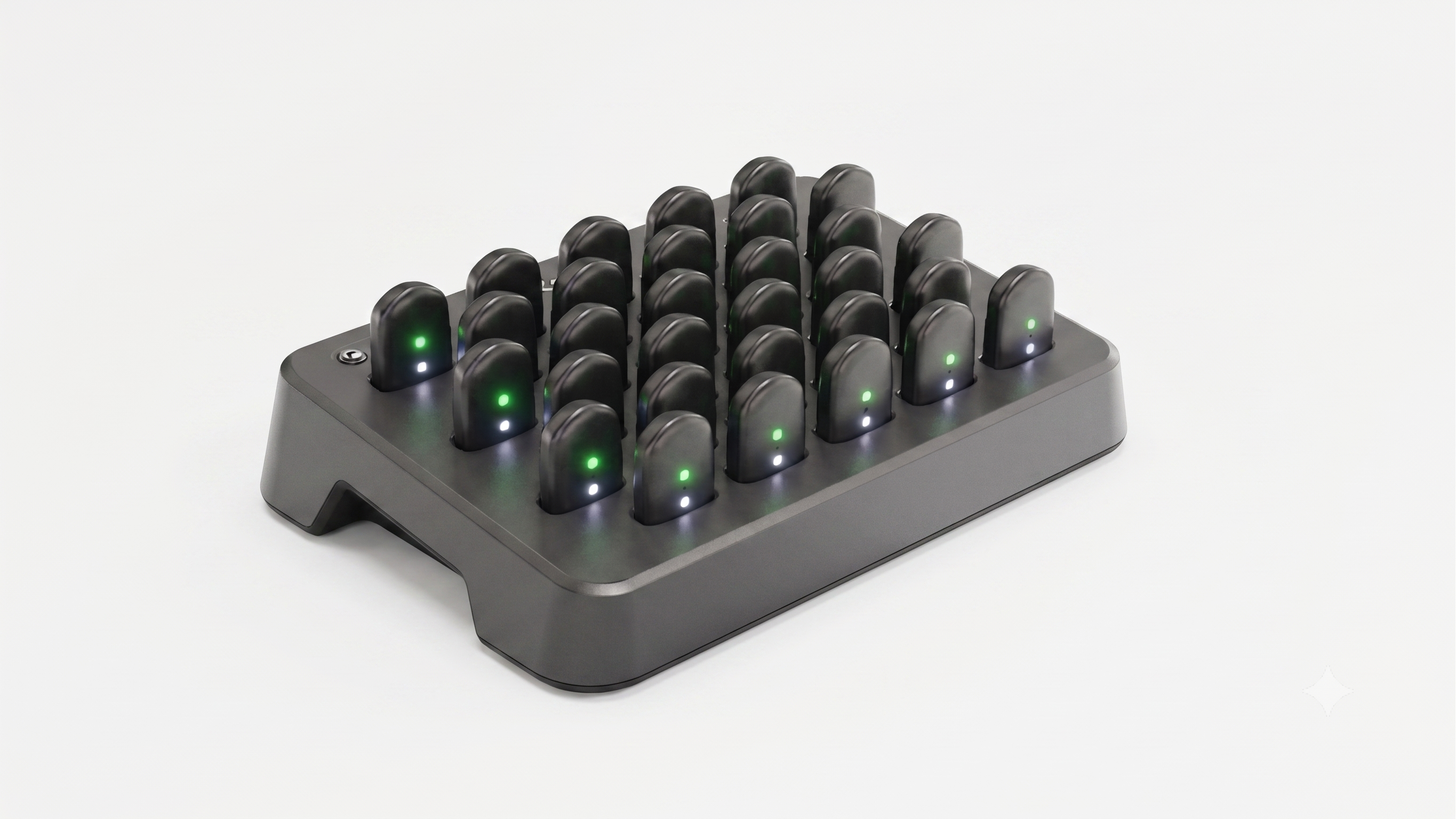
North LED - Battery Status |
- Flashing Red = Charging fault
- Breathing Red = Device is charging, Batter level <30%
- Breathing Yellow = Device is charging, Battery level 30-80%
- Breathing Green = Device is charging, Battery level >80%
- Solid Green = Device is fully charged, Battery level 100%
|
South LED - GNSS Status |
- Flashing White = Enumeration / file transfer fault
- Breathing White = Device has enumerated and is queued to download data to the Dock
- Fast Breathing White = Data is downloading
- Solid White = Device has enumerated with the Dock and is idle
|
Dock is in Standby |
- The North LED will intermittently double flash white if there is a pending raw file upload. Otherwise, it will remain off
|
S8 in Battery Saver |
- The North LED will show a dim yellow with intermittent breath every 20 seconds
|
